
Getting started
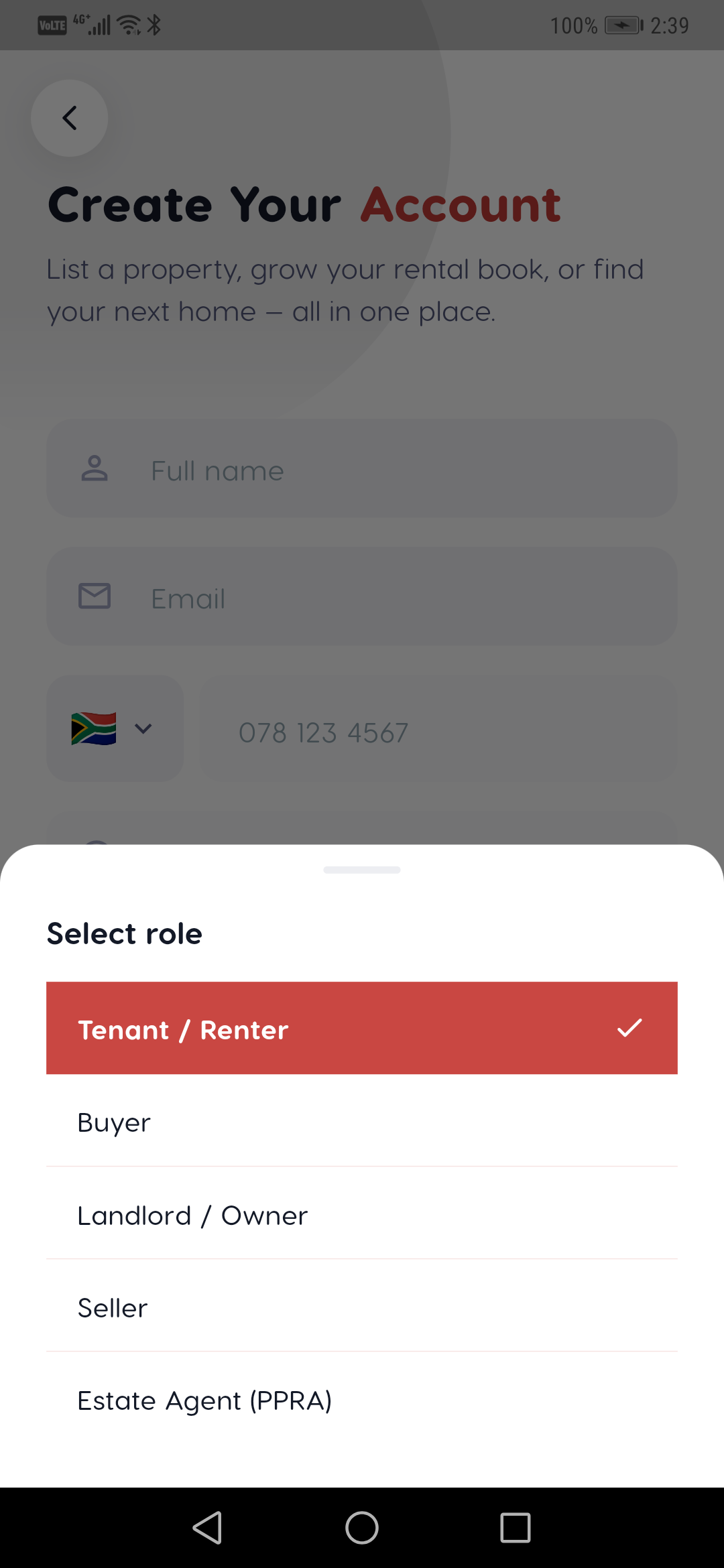
Choosing your role
Tenant, buyer, landlord, seller, agent or creator — what each unlocks.
Last updated 2026-07-21
Liivra tailors the app to what you're here to do. You pick a role at sign-up and can switch later in your profile.
The roles
- Tenant — rent a home or a room. Search, save, tour, and apply. Free.
- Buyer — buy a home. Search, tour, run the finance tools, and make offers. Free.
- Landlord — let your property directly. List for R279 (90 days), screen tenants, and protect deposits with Liivra Secure (you or your agent hold the deposit; Liivra keeps the record).
- Seller — sell your home. List for R1,999 with an AI valuation and matched-buyer alerts.
- Agent (PPRA) — a registered estate agent. Add your PPRA Fidelity Fund Certificate (FFC) to earn the Liivra Verified badge on every listing; plans from R499/month.
- Creator — a 3D/360° capture creator. Complete your profile and take on capture gigs from owners and agents.
(Suppliers and conveyancers are onboarded via the web dashboard.)
Switching roles
You're not locked in — a tenant who decides to let a room, or a buyer who lists a property, can add that role any time under Profile → Roles. Your account, verification, and history carry across.
What agents unlock
Agent plans add up to 50 (Solo) / 200 (Team) / unlimited (Agency) active listings, the PPRA badge, AI pricing, the Performance Dashboard, and Amplify AI ads.
On mobile
The same screens in the Liivra iOS & Android app.